Product Updates
New Power BI Service Connector for Fabric
Import and refresh semantic models and reports from Power BI Service in just a few clicks.
Dependencies for fast root cause analysis, detailed documentation and effective governance.
Ensuring strong governance and accuracy of reporting is complicated without the right tools - and we hear this everyday. Do more with less is a common theme.
We're excited to announce the new Lineage Explorer in Data Vizioner - giving you direct visibility of upstream and downstream dependencies for fast root cause analysis, detailed documentation and effective governance.
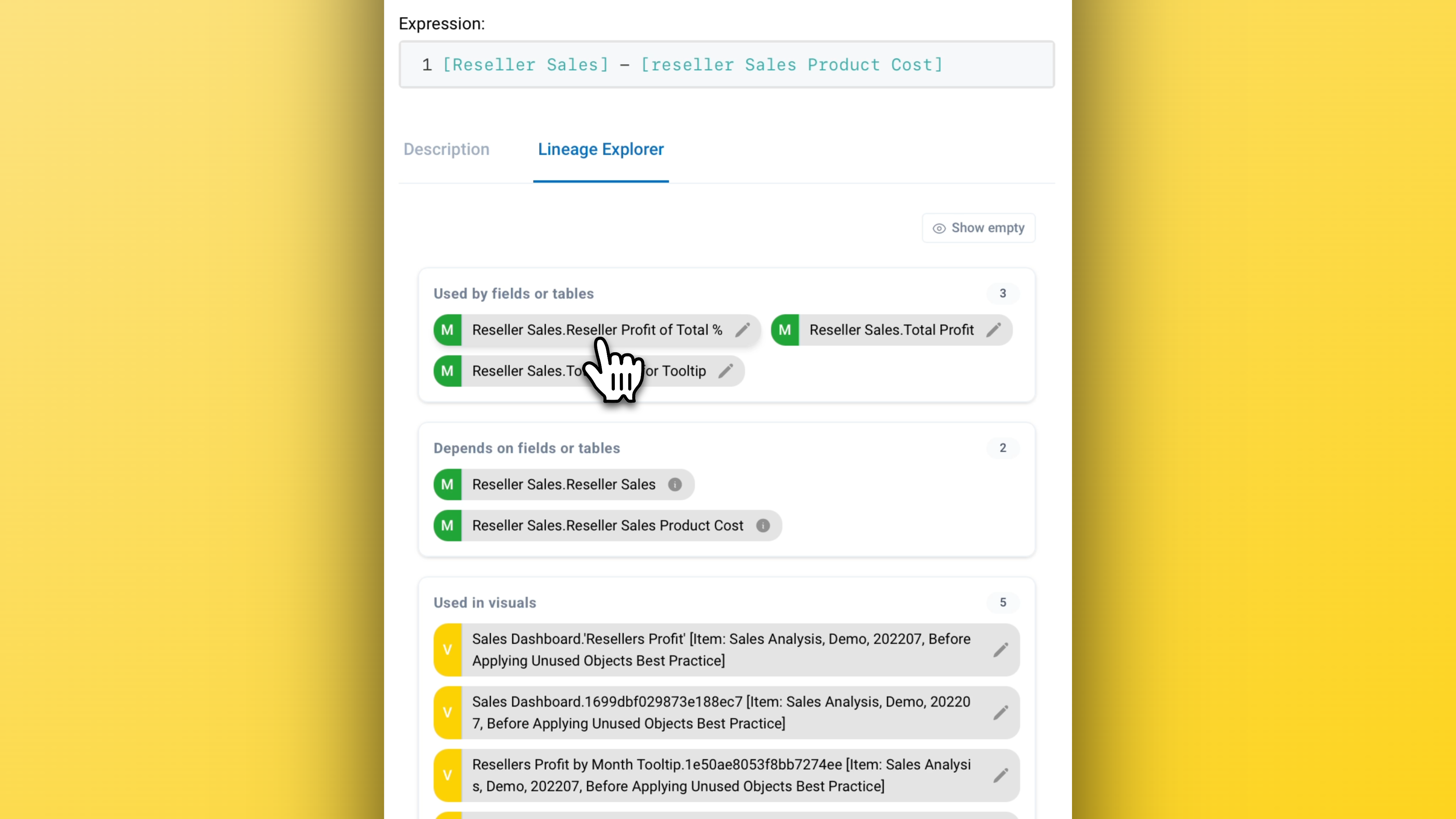
The new Lineage Explorer can be found in the sidebar and allows upstream and downstream navigation of dependencies. The same interaction model applies whether you start from a report visual, a measure, a column, or a table.
Having the ability to see how your semantic model and reports are built at a glance saves time, drives efficiency and helps to mitigate risk.
The new Lineage Explorer is available to everyone, with support for full reports and thin reports with a seperate semantic model. The level of detail provided may vary by tier.
Import and refresh semantic models and reports from Power BI Service in just a few clicks.
New external tool enables rapid analysis of data models in Azure Analysis Services and SQL Server Tabular models.
Create documentation faster with AI driven documentation for Power BI and Analysis Services.